1
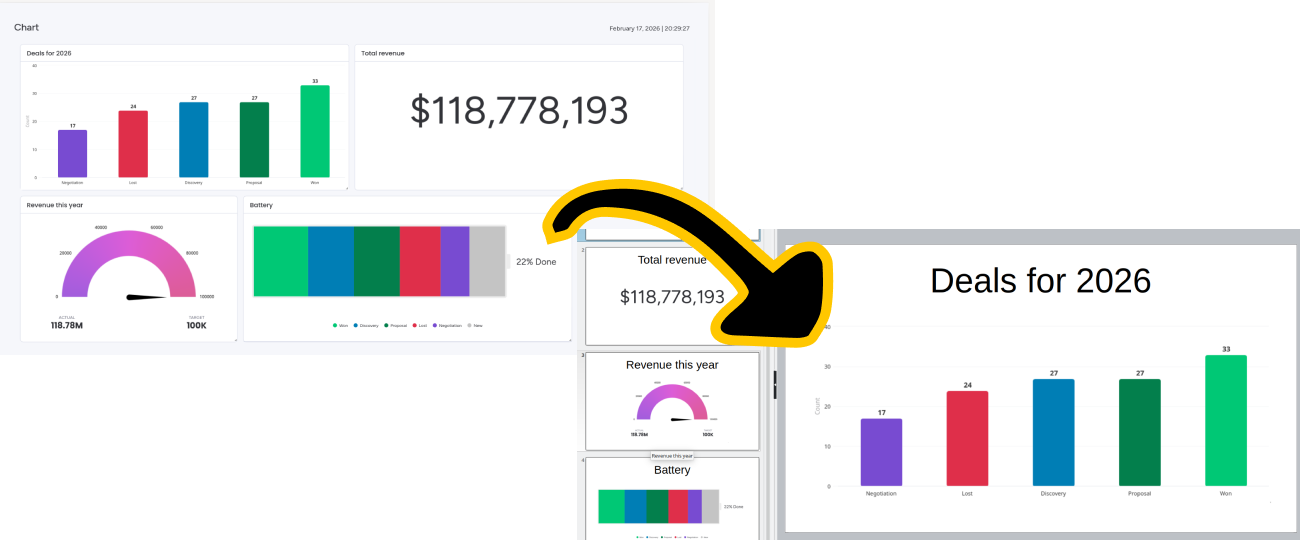
Generate dashboard PDF
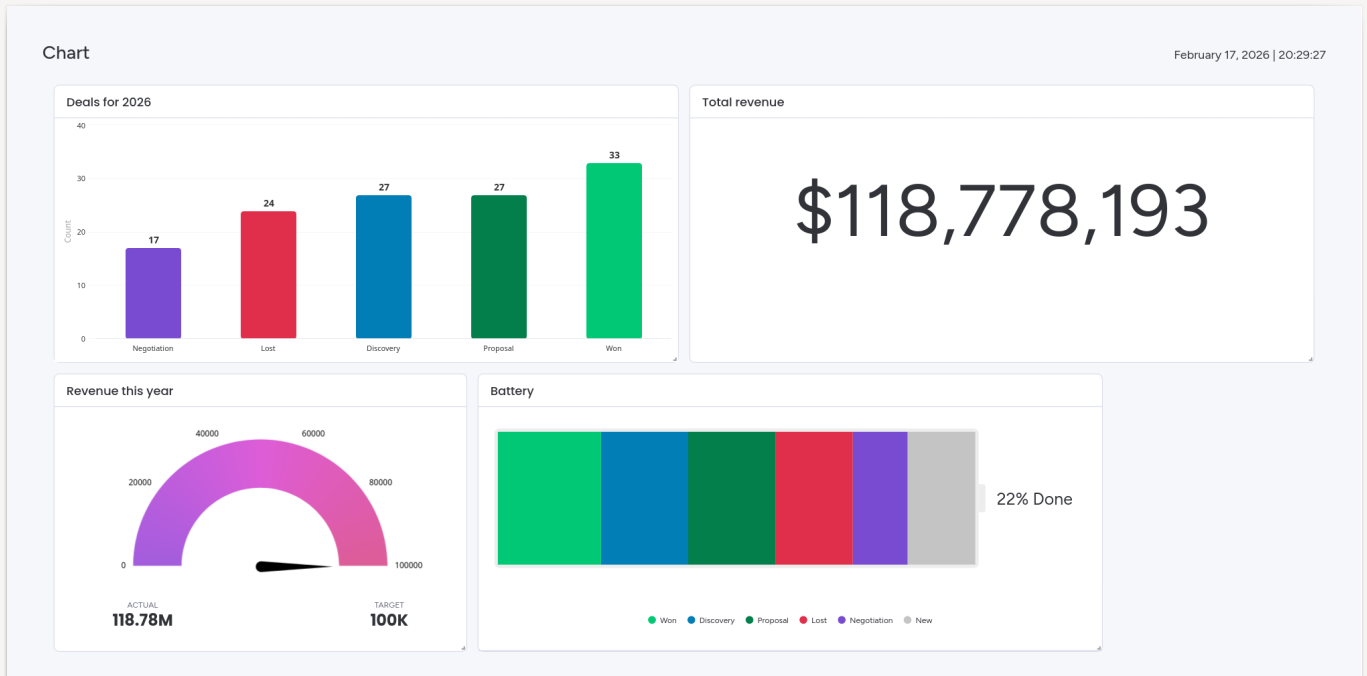
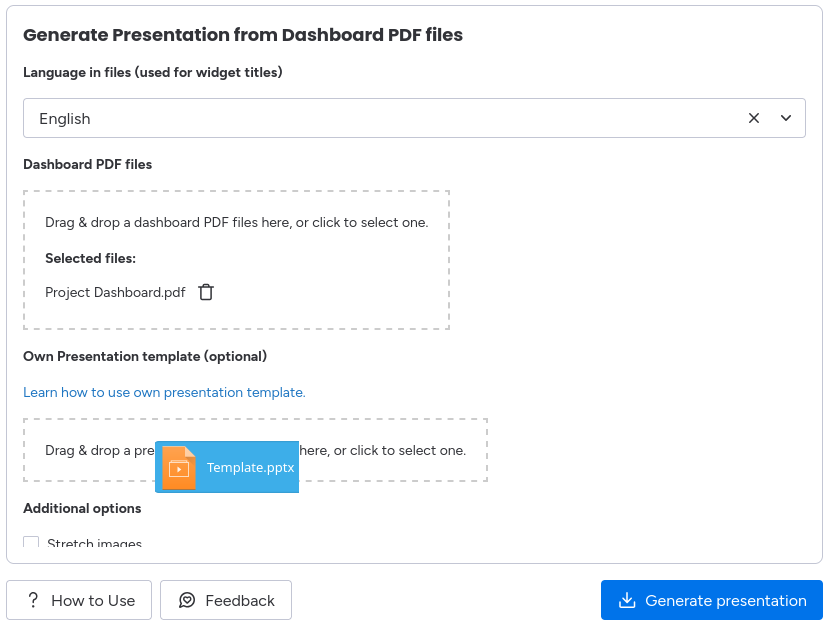
Start by generating dashboard PDF from your monday.com dashboard.
2
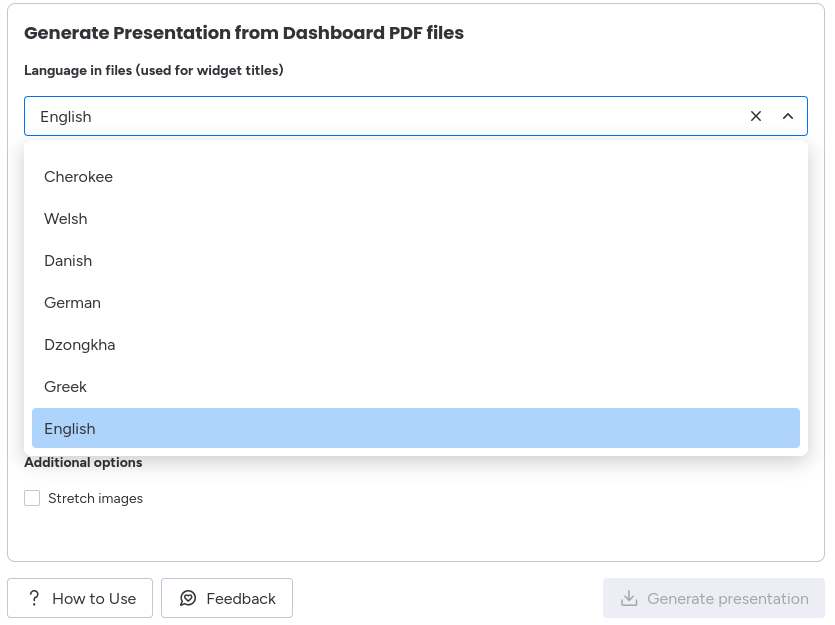
Choose title language
Select the language of widget titles.
3
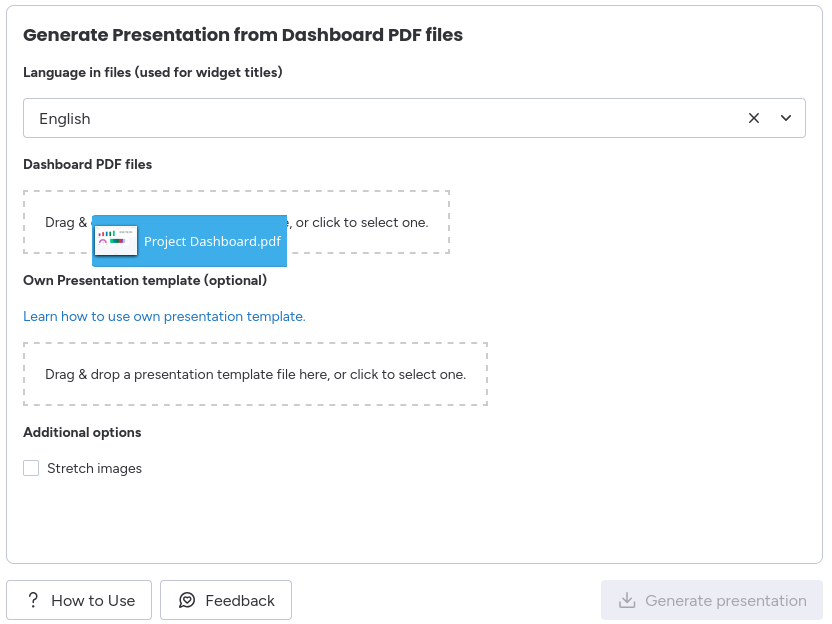
Upload your PDF file
Upload your dashboard PDF file from which you want to generate your presentation.
4
Upload your own Presentation template
Upload your own Presentation template from which should be used to generate your presentation.
5
Generate Your Presentation
Click to "Generate presentation", to download your presentation!
Save time and effort
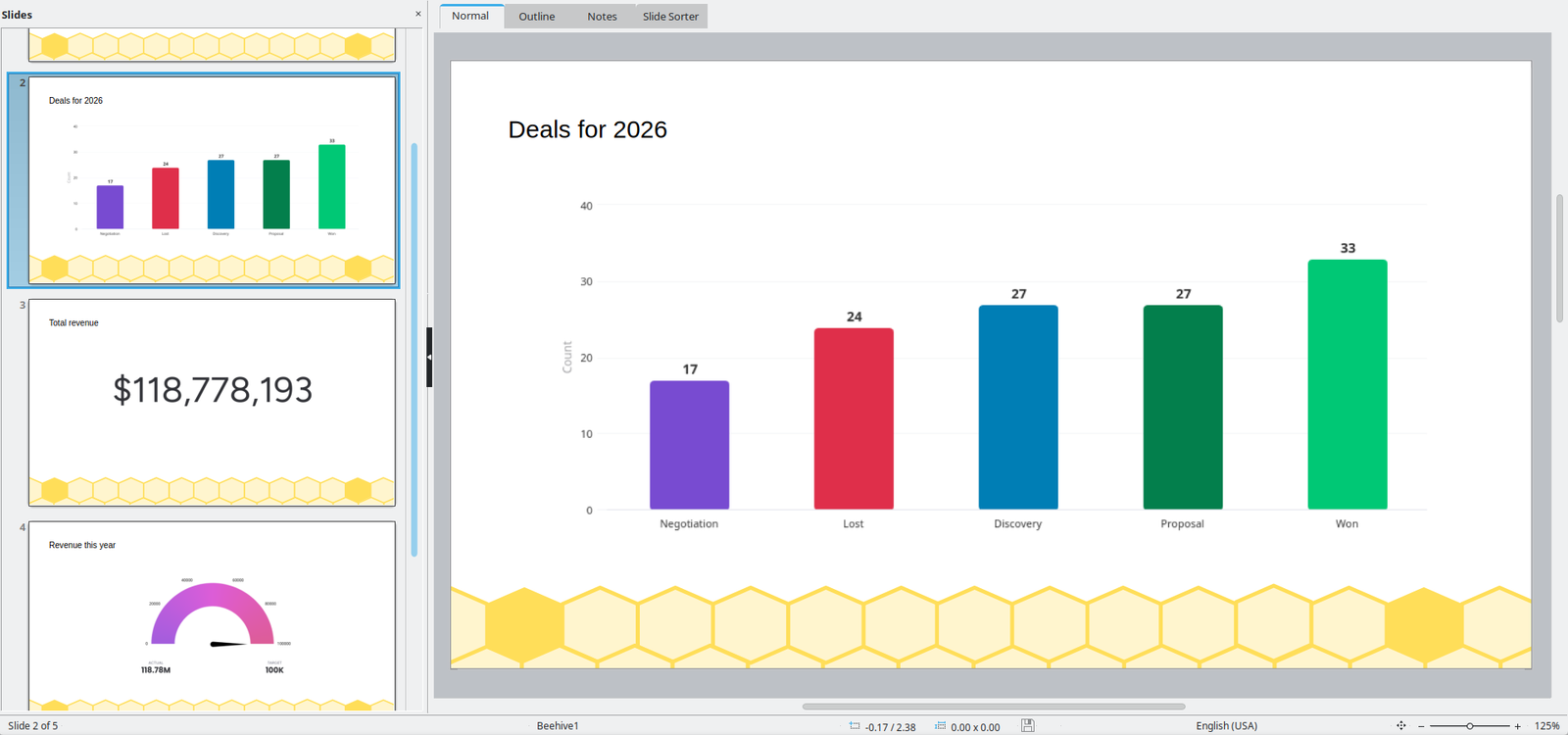
Create presentations faster, perfect for team updates, client meetings, or stakeholder reviews.
Streamline reporting
Eliminate the need to manually cut and copy images from dashboard into presentations.
Try Dashboard to Presentation for Free!
Enjoy a 14-days free trial and discover how our app can transform your workflow.